
Terminals and desktops,ready for your agent.
TermPilot puts SSH / Telnet / serial terminals and VNC / RDP desktops in one window. You sign in yourself; an AI assistant then continues on the same session or the same desktop through the built-in MCP server — and your secrets never leave this machine.
Windows · macOS · Linux, MIT licensed
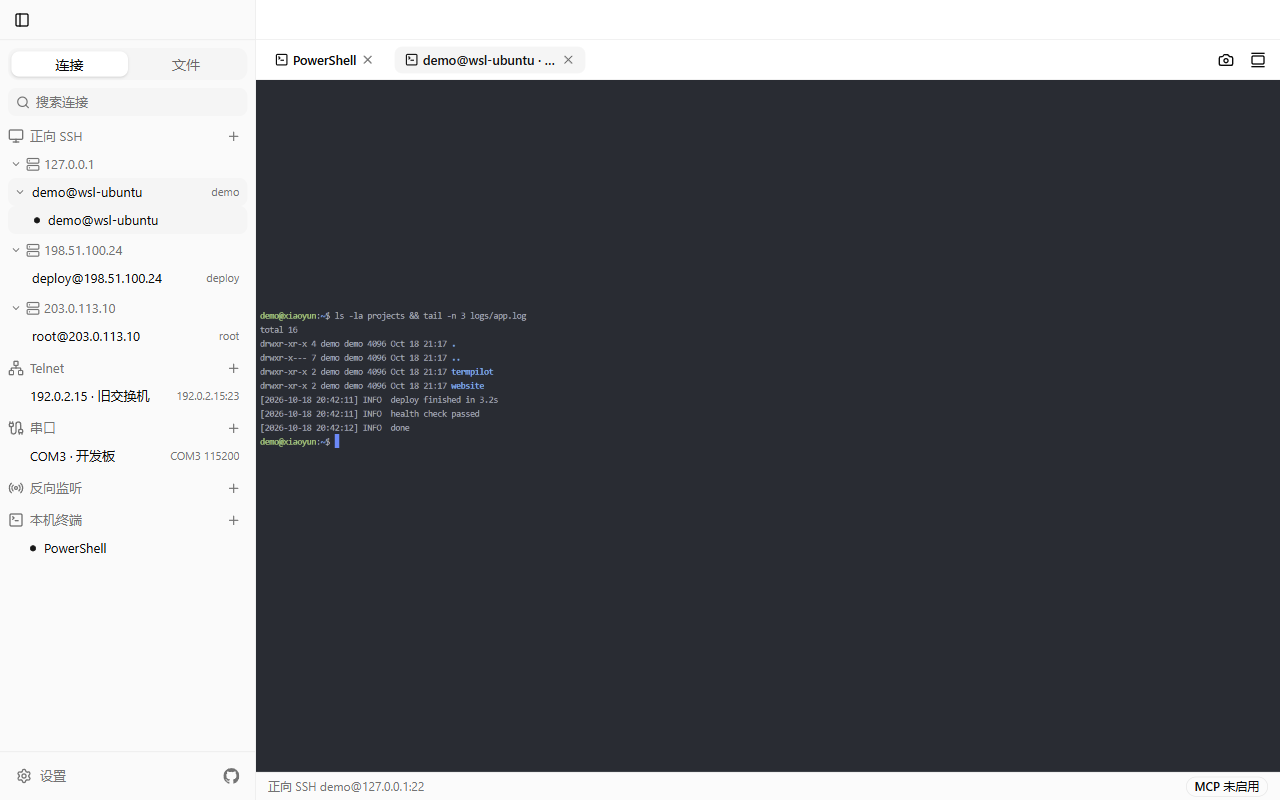
Connect, desktop, operate, transfer — four things done properly
Connect
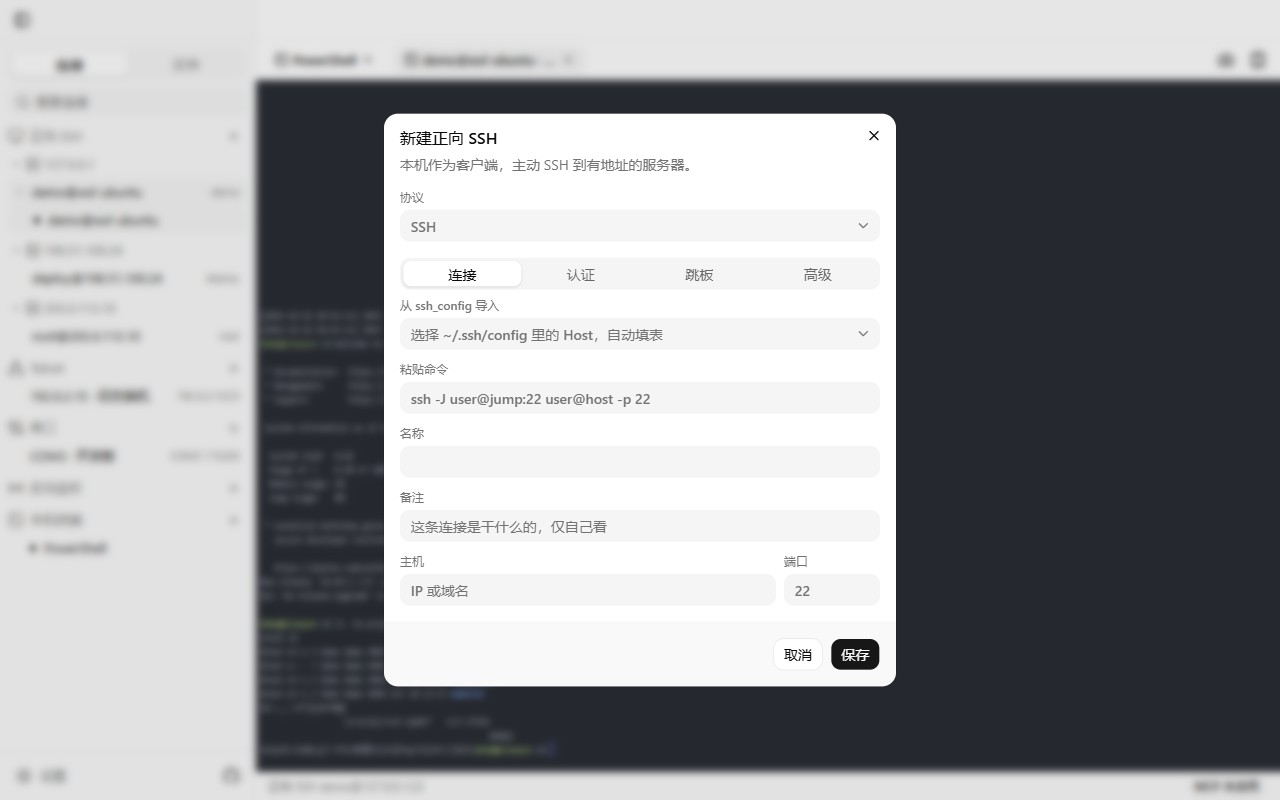
Five protocols, one form. Passwords and key passphrases are encrypted with the system keychain and stored only here.
- SSH with passwords or keys, multi-hop jumps (ssh -J) and ProxyCommand
- Telnet and serial are a single byte stream, and the capability model says so up front
- VNC defaults to 5900, RDP to 3389; one desktop window per connection
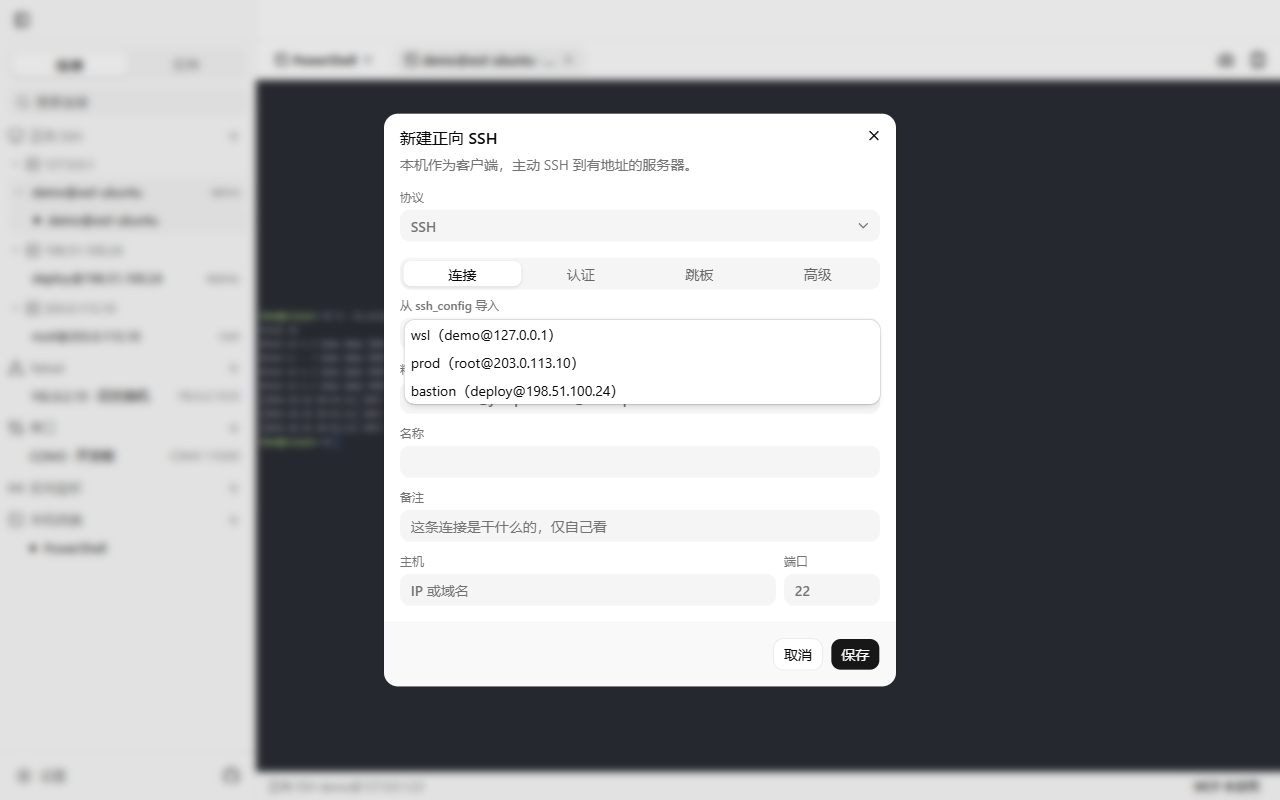
- Import existing Hosts from ~/.ssh/config; the app never writes back to it
Desktop
VNC and RDP run inside the same window, with the clipboard and agent control ready to use.
- VNC through noVNC; RDP through IronRDP by default, or a native FreeRDP window
- Screenshot grid, click by image coordinates, CJK input, scrolling and batched actions
- Text clipboard shared both ways between your machine and the remote
- AT-SPI control trees on Linux; a perf overlay shows traffic and packet rates
Operate
The session you signed into keeps going for your agent. No reconnects, no handing over passwords.
- A separate exec channel: split stdout / stderr and real protocol exit codes
- The same session name carries cd and export across calls
- PTY tools send keys, read the screen and capture scrollback, so TUIs and installers work
- Dangerous commands and deletions pause and wait for your confirmation in the window
Transfer
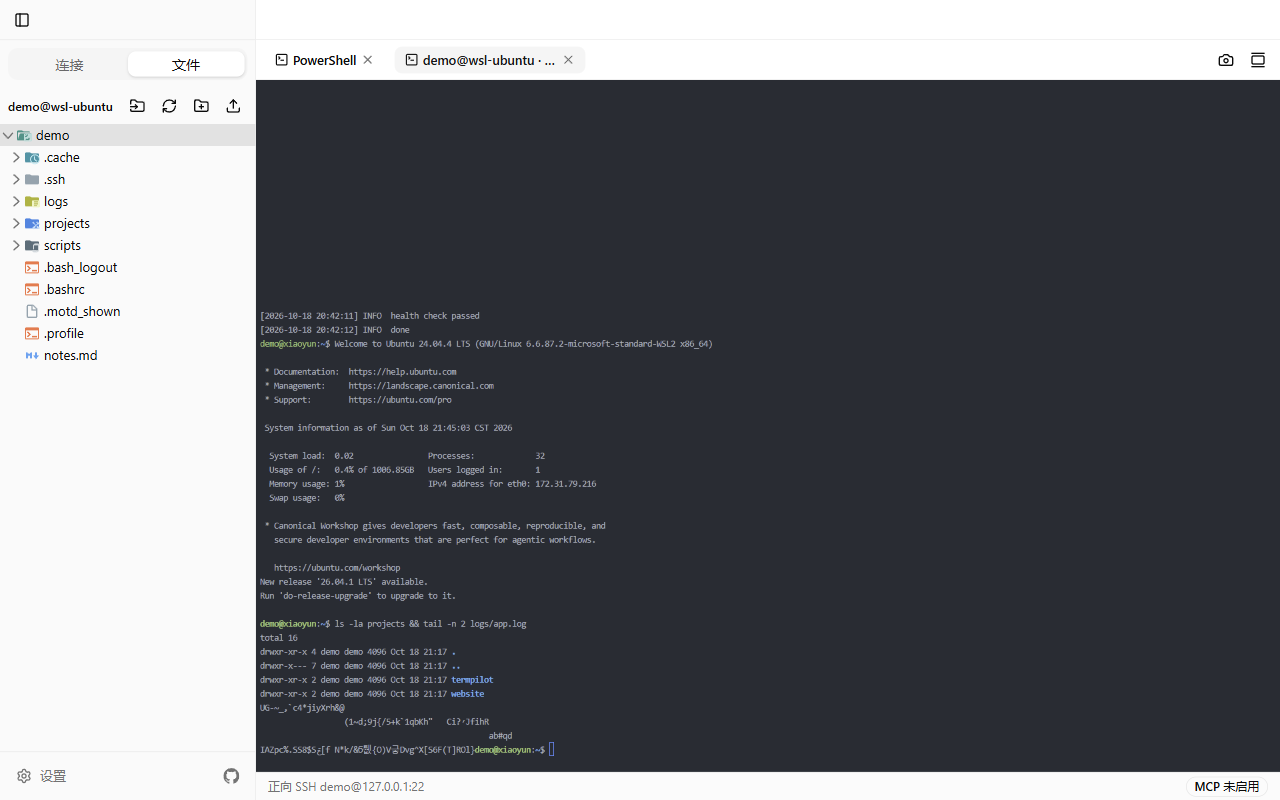
The SFTP panel shares one SSH connection with the terminal — no drops, no second login.
- Upload, download, mkdir, rename and delete; files up to 512 MB
- Double-click a text file to edit it in place and Ctrl+S writes it back
- For one-shot jump hosts, set the file channel to reuse and skip the second dial
- Switches to internal-sftp automatically when the target lacks the SFTP subsystem (optional)
From a new connection to closing the tab
- 1
Create a connection
Enter host and user, or import from ~/.ssh/config. Secrets are encrypted and stored locally.
- 2
Open a terminal
Double-click to open a tab. Multi-hop jumps chain automatically, so you sign in once.
- 3
Day-to-day work
Terminals and VNC / RDP desktops share one tab row; right-click to copy or capture.
- 4
Hand it over
Copy the agent guide to connect; your agent then continues in the terminal or on the desktop.
- 5
Move files
Upload and download in the file panel; edit text files in place with a double-click.
- 6
Wrap up
Close the tab. Connections, terminal titles and the lines already drawn are still there next launch.
Local first: where secrets live, who listens, when it calls out
Secrets stay local
Passwords and key passphrases are encrypted by Electron safeStorage through the system keychain, then written to local SQLite (%APPDATA%\TermPilot\termpilot.db on Windows). No server, no accounts.
MCP listens on loopback only
The built-in MCP server binds 127.0.0.1 and every request must carry a Bearer token. The token lives in your local mcp.json; nobody else can connect.
No telemetry
No analytics and no crash reporting in the source. The only outbound request is reading the GitHub release page when you click “Check for updates” in settings.
Screens
How it compares
| Plain ssh in a shell | GUI terminal (XShell-style) | TermPilot | |
|---|---|---|---|
| Sign in | Type the full command every time; rely on ssh-agent | Save the session, double-click | Save it, then open it yourself or let the agent do it |
| Mid-way prompts | Menus, wizards and sudo are all yours | You do the typing | You or the agent presses keys, with the screen live |
| Continuing | Same window | Same window, agent cannot join | The agent continues on the same session, no reconnect |
| Batch and scripts | Write your own shell scripts | Mostly manual | 35 MCP tools plus a local CLI |
| Credentials | ssh_config / ssh-agent | Stored inside the app | System-keychain encrypted, local only |
Technical details
| Connection protocols | SSH / Telnet / serial / VNC / RDP |
|---|---|
| Terminal | xterm.js with WebGL rendering; local and remote in one tab row; wheel scrolling, right-click copy and capture |
| Desktop | VNC through noVNC, RDP through embedded IronRDP (or native FreeRDP); text clipboard both ways |
| Desktop performance | Auto / quality / balanced / smooth; background throttling, debounced scaling, coalescing and backpressure |
| Channels | shell / exec (split stdout and stderr, protocol exit codes) / SFTP over one shared SSH connection |
| File transfer | Upload, download, mkdir, rename and delete; up to 512 MB; in-place text editing |
| Credential storage | Encrypted with safeStorage into local SQLite; never leaves the machine |
| Agent interface | Built-in MCP server (35 tools, bound to 127.0.0.1 with a token); local CLI written in Go |
| Platforms | Windows x64 / macOS (Apple Silicon) / Linux x64 |
| Installers | Windows Setup 146 MB · macOS dmg 168 MB · AppImage 167 MB · deb 129 MB |
| License | MIT |
MIT licensed — build it yourself in three commands
git clone https://github.com/xy200303/termpilot.git
cd termpilot
npm install && npm run dist:win  # dist:mac / dist:linux
Repository: github.com/xy200303/termpilot. Pushing to main runs typecheck and build; pushing a tag builds installers for three platforms and publishes a release.
Recent updates
v0.9.1
- AppImage builds carry AppStream metadata: name, summary, categories, screenshots and license
- Linux app catalogs can read it, and the AppImage catalog test no longer warns about a missing appdata file
v0.9.0
- New language setting: follow the system, Simplified Chinese or English, including main-process messages
- MCP tool names, descriptions and parameter docs are English, and so is the agent guide
- The website has English pages and the homepage follows your system language
v0.8.6
- Graphical desktops gain a “Chinese keyboard” takeover, so your local IME can type Chinese into VNC
- New “Send text” writes a whole block to the remote clipboard and pastes it; both entries moved into the tab icon row
Frequently asked
Where are passwords and key passphrases stored?
Electron safeStorage encrypts them through the system keychain, then they are written to local SQLite (on Windows, %APPDATA%\TermPilot\termpilot.db). Nothing is synced, and tool calls such as connection_list never return secrets.
Can I go through a jump host?
Yes. Multi-hop ssh -J, ProxyCommand and importing from ~/.ssh/config all work. If the jump host only authorizes a single forwarding, set that connection’s file channel to reuse the terminal connection so SFTP never dials again.
Can an agent operate VNC and RDP like a terminal?
Yes. Your agent can take desktop screenshots, click by image coordinates, type text and key chords, scroll, wait for the screen to settle and run batched actions; VNC and embedded RDP also share the text clipboard both ways. Each desktop connection keeps a single window.
Do Telnet and serial support the exec channel and SFTP?
No. Those protocols are one byte stream with no channel concept. Calling term_exec or sftp_* returns a clear capability error, while the screen family (term_pty, term_write, screenshots) behaves the same across all three protocols.
What if a serial connection drops?
Use term_reconnect (or reconnect in the UI) to bring back the same terminal: id, remark and the content already drawn are preserved. Run serial_list first to confirm the device path and parameters.
Can the assistant see my password?
No. Secrets are decrypted briefly in the main process while dialing and no tool returns them. The MCP server binds 127.0.0.1 and every request must carry the token from your local mcp.json.
Does it run on Intel Macs?
Official builds are Apple Silicon (arm64) dmg and zip only. Intel Macs can build from source: npm install, then npm run dist:mac.
The installer says unsigned or unknown publisher. What now?
Builds are not code signed. On Windows choose “Run anyway” in SmartScreen; on macOS right-click Open in Finder. If that matters to you, build from source in three commands.
Does TermPilot upload my data?
No telemetry, no analytics, no crash reporting. The only outbound request is reading the GitHub release page when you click “Check for updates” in settings, which you can verify in update-check.ts.
Download TermPilot and hand the session over
MIT licensed · Copyright © 2026 xy200303